

How Can Businesses Dispose of Old Computers and Devices?
Businesses retiring old computers, phones, and other electronic devices need to protect sensitive data before disposing of the equipment. This article is written for business owners and IT managers who want to understand secure electronics disposal, the limits of deleting files, and the role of IT asset disposition (ITAD). It explains how professional hard drive destruction and responsible electronics recycling can help businesses protect confidential information and manage outdated technology.
Your business has upgraded its computers, replaced employee phones, or installed new servers. The old equipment is no longer needed, so it gets unplugged and moved into a storage closet until someone decides what to do with it. It seems harmless enough, but those devices may still contain customer records, employee information, financial data, and other confidential details.
Getting rid of outdated technology requires more than finding a recycler or deleting a few files. If you do not address the information stored on your devices, you could expose your business to unnecessary security risks. A clear disposal process helps you protect sensitive data, free up storage space, and handle electronic waste responsibly.
Why Old Devices Can Still Put Your Data at Risk
Removing a device from your network does not remove the information stored on it. Even equipment that no longer powers on may contain data that someone could potentially recover.
Think about the information your business handles every day. Computers may store customer contact details, employee records, contracts, financial documents, and internal communications. Phones and tablets can contain emails, saved passwords, business applications, and files. Servers and external drives may hold even larger collections of confidential information.
If you donate equipment, sell it, or send it to a recycling facility without addressing its stored data, that information could remain accessible to someone else. Keeping unused devices in an unlocked storage room also creates opportunities for loss, theft, or unauthorized access.
Your responsibility to protect business information does not end when equipment reaches the end of its useful life. You need a plan for handling the data before the hardware leaves your control.
Which Devices Need Secure Disposal?
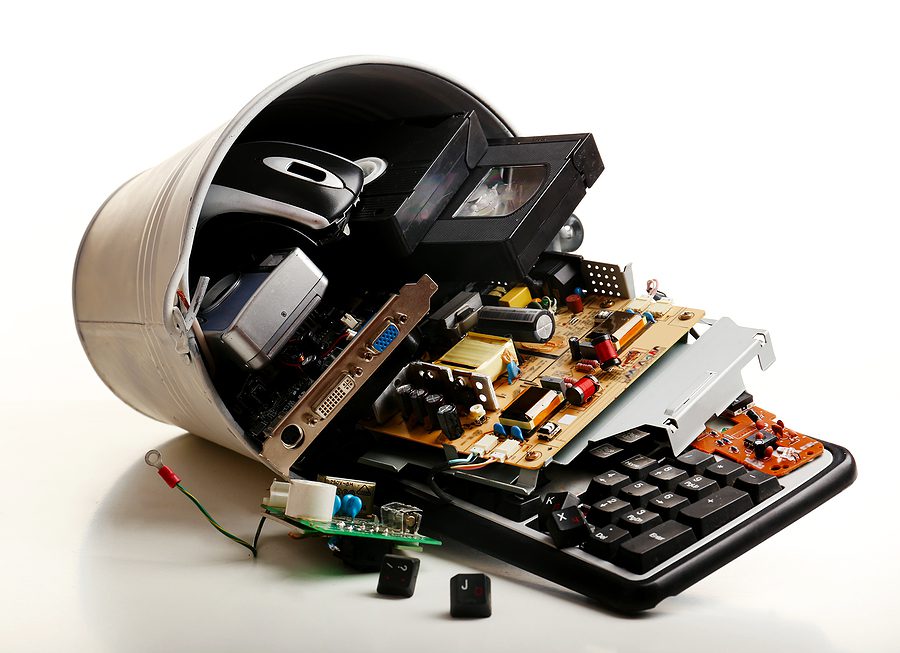
Your business may have more data bearing equipment than you realize. Computers and laptops are obvious examples, but other devices also deserve attention.
Consider the technology you replace during routine upgrades, office moves, or equipment refreshes. This may include:
- Desktop computers, laptops, and servers
- Internal hard drives, external drives, and USB flash drives
- Company issued smartphones and tablets
- Printers, copiers, and multifunction machines with internal storage
- Backup tapes, CDs, DVDs, and other electronic media
Not every electronic component stores information, so the appropriate disposal method depends on the equipment. Your IT team can identify devices containing storage media and determine which items require data destruction before recycling.
Creating an inventory of retired equipment helps you track what needs attention and prevents older devices from being forgotten in storage.
Why Deleting Files Is Not Enough
You might assume that deleting files or performing a factory reset prepares a device for disposal. Unfortunately, those steps do not always remove data permanently.
When you delete a file, the system may simply mark the space it occupies as available for reuse. Until that space is overwritten, some information may remain recoverable. Reformatting a drive or resetting a device also does not automatically provide proof that every piece of stored data has been eliminated.
Professional data sanitization can be appropriate in certain situations, but its effectiveness depends on the device, the method used, and proper verification. Physical destruction provides a different approach by making the storage media unusable and preventing normal access to the information it contains.
If your business handles sensitive customer, employee, or financial information, do not rely on basic deletion as your entire disposal strategy. Consider the sensitivity of your data, your internal security policies, and any applicable regulatory requirements before deciding how to retire a device.
What Is IT Asset Disposition?
IT asset disposition, commonly called ITAD, is the process of managing technology at the end of its useful life. It addresses what happens to retired equipment, including data security, transportation, destruction, and responsible recycling.
Rather than treating old computers as ordinary waste, an ITAD process gives your business a structured way to remove equipment from service. Your organization can identify retired assets, determine which devices contain sensitive data, and arrange appropriate destruction and recycling.
The environmental side matters, too. Electronics contain materials that should not automatically end up in landfills. Responsible recycling helps recover usable commodities and reduces the environmental impact of discarded technology.
ITAD can be especially helpful when your business replaces large quantities of equipment, clears out an office, or needs to retire servers and storage devices. Working with a professional provider can simplify collection and help you document how equipment was handled.
When Should You Use Professional Destruction Services?
Professional services may make sense when your business handles confidential information, has a large amount of outdated equipment, or needs a dependable process for retiring technology. They can also help when your IT team lacks the equipment or time to manage secure destruction internally.
AccuShred provides IT asset disposition and electronics recycling services for businesses. Its process includes physically shredding computer hard drives and breaking down electronic equipment into recyclable components.
Create a Safer Process for Retiring Technology
Old computers, phones, and storage devices can hold sensitive information long after your business stops using them. Deleting files or leaving equipment in storage may not address the risks, so secure destruction and responsible recycling should be part of your technology replacement plans.
AccuShred helps businesses manage outdated electronics through IT asset disposition, physical hard drive destruction, and electronics recycling. Contact AccuShred to request a no obligation estimate and discuss a disposal process that fits your equipment, data security needs, and business operations.